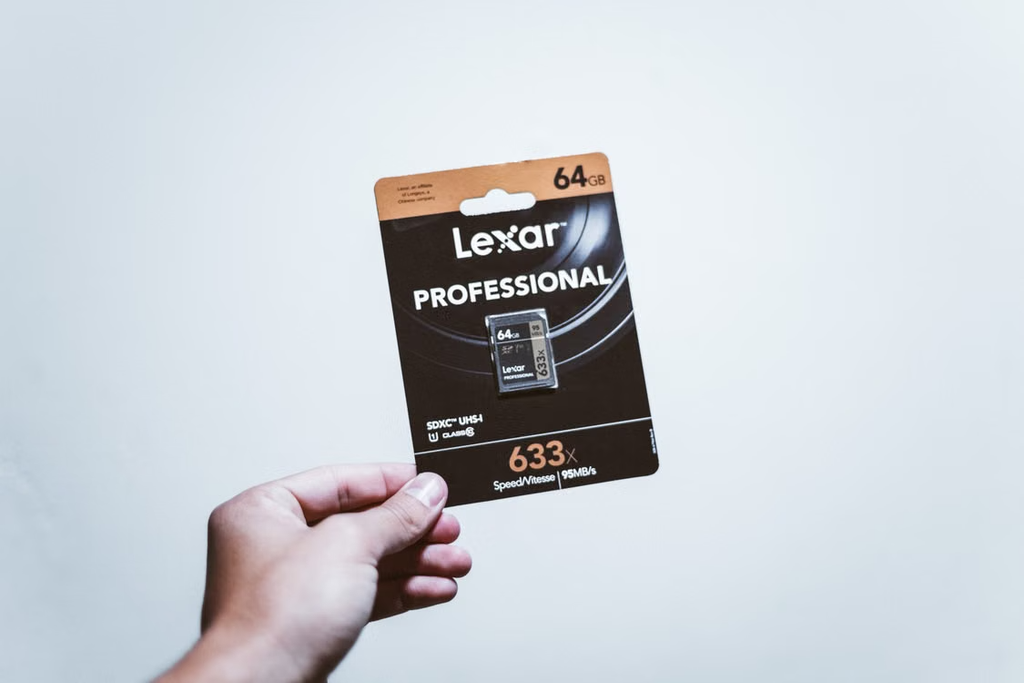
You probably use microSD or SD cards more often than you notice—inside cameras, drones, handheld consoles, dash cams, and even some laptops. Buying one looks simple until you see labels packed with symbols, speed classes, and storage types that seem designed to confuse you. If you want reliable performance without wasting money, you need to understand what the card is built for, how your device reads it, and where the spec sheet actually matters.
The label tells you more than the storage number
Most people look at 64GB, 128GB, or 256GB first. That’s useful, but it’s only one piece of the decision. An SD card label also signals file system format, bus interface, speed class, and intended workload. Those details affect whether your camera can record 4K without buffering or whether your handheld console loads games smoothly.
A lot of confusion starts with card family names. If you’ve ever compared SDHC vs SDXC, you’ve already seen how capacity and formatting standards change compatibility. SDHC usually covers 4GB to 32GB and commonly uses FAT32, while SDXC starts at 64GB and typically uses exFAT. That difference sounds technical, but it directly affects whether an older device can even recognize the card.
Capacity only matters if your device supports it
You can buy a 512GB card in seconds, but your device may not support it at all. That issue still shows up with older DSLRs, action cameras, printers, car stereos, and budget Android devices. Some products support only SDHC. Others support SDXC but cap usable storage at a certain size because of firmware limitations.
Before you buy, check the manufacturer’s documentation instead of assuming any SD card will work. If a camera supports cards up to 128GB, installing a 1TB card may cause formatting errors, failed writes, or random instability. You should also check whether your device needs full-size SD or microSD with an adapter. Adapters are useful, but they don’t improve speed or compatibility. They just change the form factor.
Speed ratings matter more than marketing claims
A card can advertise read speeds up to 200MB/s and still perform badly in your device. The reason is simple: read speed helps with file transfer off the card, while sustained write speed matters most during recording. For video, burst photography, and surveillance use, write performance is where cheap cards often fall apart.
Look for speed indicators that match your use case. U3 and V30 are commonly enough for 4K on many consumer cameras. V60 or V90 matters more for high-bitrate codecs, professional mirrorless systems, or demanding cinema workflows. Application Performance Class, marked A1 or A2, becomes more relevant when a card runs apps on Android devices. If you only store MP3 files or documents, you don’t need premium write specs. If you record 5.3K footage on an action cam, you absolutely do.
Your use case should decide the card, not the brand hype
People often buy cards backwards: they choose a popular brand, then hope the model fits the job. You’ll get better results by starting with the workload. A dash cam needs endurance because it rewrites footage constantly in a loop. A drone needs stable sustained writes and often benefits from cards validated by the manufacturer. A Nintendo Switch setup cares more about decent game-loading performance and enough room for installs than elite video specs.
For still photography, card choice depends on how you shoot. Casual weekend photos don’t need the same media as RAW bursts at a sports event. For phones and tablets, random IOPS can matter more than the biggest storage number. For field work, reliability also includes practical details: temperature tolerance, water resistance, and whether recovery software is offered by the manufacturer.
Fake cards are still a real problem in 2026
Counterfeit storage is not an old internet problem that disappeared. It’s still common on marketplaces with mixed third-party sellers. A fake card may claim 1TB, report that size to your device, then start overwriting old files once the real memory limit is reached. That kind of failure often isn’t obvious until your footage, project files, or vacation photos are already corrupted.
Buy from authorized retailers when possible, especially for high-capacity cards. When the card arrives, test it with a full verification tool such as H2testw on Windows or F3 on macOS and Linux. Also inspect print quality, packaging, and serial details, though appearance alone isn’t enough. If the price looks way below the normal market range, treat it as a warning sign, not a lucky find.
Formatting and maintenance can prevent silent failures
Even a good card can behave badly if you use it carelessly. Pulling a card out during writes, filling it to absolute capacity, or switching it constantly between devices without proper formatting increases the chance of corruption. A lot of users assume storage problems mean the card is defective when the issue actually comes from workflow habits.
Format the card in the device you plan to use most, especially for cameras. That helps the file system and folder structure match the device’s expectations. Back up data before reformatting, and don’t use the same card for unrelated jobs if reliability matters. If a card starts showing write delays, missing clips, or mount errors, retire it quickly. SD cards are consumable storage, not permanent archives. Treat them like working media and replace them before they fail under pressure.
A smarter purchase usually looks less exciting
The best SD card isn’t the fastest or largest one on the shelf. It’s the one your device supports, your workload actually needs, and your budget can justify without compromise on reliability. That usually means skipping flashy specs you’ll never use and paying closer attention to compatibility, sustained write performance, and seller credibility.
If you understand the naming standards, speed classes, and real-world limits, you’re much less likely to waste money or lose data. A smarter purchase often feels boring at checkout. Later, when your files save correctly and your device works without drama, boring starts to look like exactly the right choice.
Read More : The Future of Battery Tech: Solid-State Innovations Replacing Lithium-Ion